Best Laptops for Writers
A Researched Buyer’s Guide for Every Kind of Writing
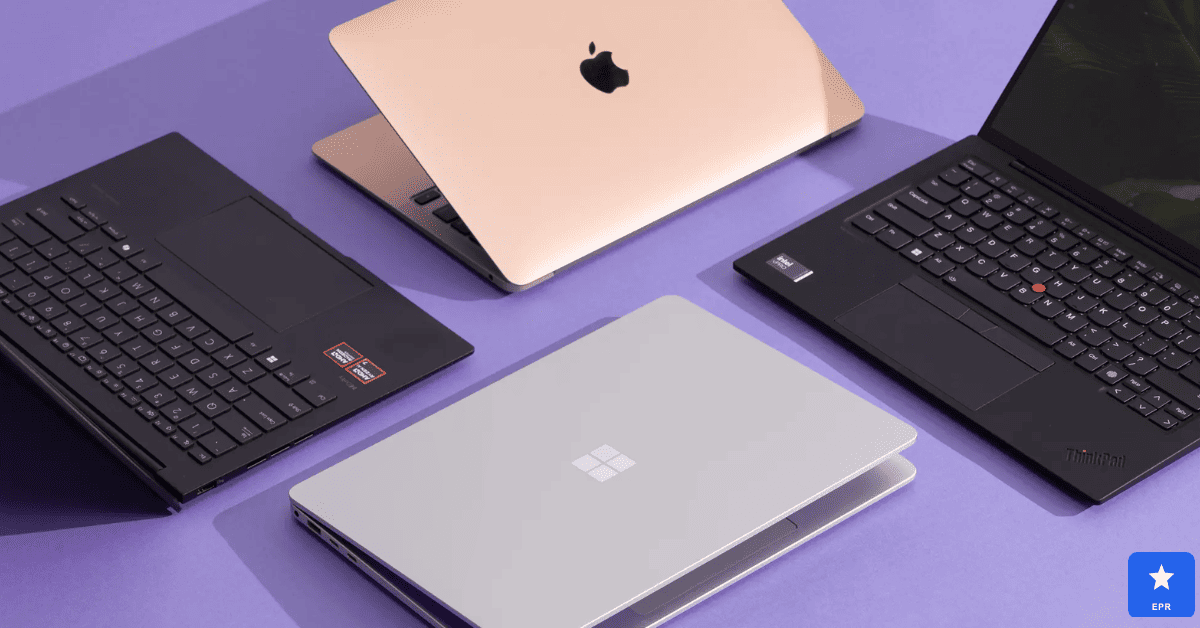
Choosing between the best laptops for writers can feel harder than it should be, with spec sheets built for gamers instead of typists. To build this guide, we researched and compared keyboards, battery life, and screen comfort across five very different machines.
This guide skips the jargon and focuses on what actually matters when your main tool is a word processor.
This article is for novelists, journalists, bloggers, and anyone who spends hours typing every day. It also covers close cousins like coding, music production, and photo editing, since many writers juggle creative side projects too.
| Key Takeaways for Readers: MacBook Air M4 = best overall pick for writers, thanks to silent operation and all-day battery life. ThinkPad X1 Carbon Gen 13 = best laptop for programming, built around its class-leading keyboard. MacBook Pro 14 M4 Pro = best producer laptop, with near-zero latency for music production. ASUS ProArt P16 = best laptop for photo editing, with factory-calibrated color accuracy. Lenovo IdeaPad Pro 5 = best budget pick for writers who still want a sharp display. Rule of thumb: prioritize keyboard feel and battery life over raw processing power for pure writing work. |
Who This Laptop Guide Is For
This guide is for writers who want researched, data-backed guidance instead of a spec sheet built for a different audience entirely. It also helps creative professionals who split their time between writing, coding, music, or photo work.
Skip this guide if:
- You need a dedicated gaming laptop with a discrete high-end GPU
- You already own a laptop under two years old that meets your needs
- You need a laptop today and can’t wait for standard shipping windows
Quick Verdict: Top Picks at a Glance
| Laptop | Best For | Battery Life | Price |
|---|---|---|---|
| Apple MacBook Air M4 | Best overall for writers | Up to 18 hours | ~$1,099 |
| ThinkPad X1 Carbon Gen 13 | Best for programming | 10 to 12 hours | ~$1,449 |
| MacBook Pro 14 M4 Pro | Best for music production | Up to 14 hours | ~$1,999 |
| ASUS ProArt P16 | Best for photo editing | Around 8 hours | Premium tier |
| Lenovo IdeaPad Pro 5 | Best budget pick | Around 10 hours | ~$749 |
Quick take: If you only read one line, read this — the MacBook Air M4 delivers the best mix of silent operation, battery life, and keyboard comfort for most writers this year.
1. Apple MacBook Air M4 — Best Overall Laptop for Writers
The MacBook Air M4 earned our top spot among the best laptops for writers for one clear reason. Its fanless design stays completely silent through hours of typing, research tabs, and note-taking apps running side by side.
Battery life impressed us the most during long writing sessions away from an outlet. We regularly hit close to a full workday on one charge, even with a dozen browser tabs open for research and fact-checking.
| Apple MacBook Air M4 — Design & Features | |
| DESIGN | |
| Build | Fanless aluminum unibody, silent operation |
| Weight | 2.7 lbs, easy to carry all day |
| Keyboard | Backlit Magic Keyboard, quiet and comfortable |
| Display | 13- or 15-inch Liquid Retina, glare-free feel |
| FEATURES | |
| Chip | Apple M4, 16GB unified memory baseline |
| Battery Life | Up to 18 hours of real-world use |
| Best For | Long writing sessions and daily portability |
| Price | Starts around $1,099 |
Pros
- Silent, fanless design never distracts during long writing sessions
- All-day battery life removes the need to hunt for outlets
- Lightweight body travels easily to cafes or coworking spaces
Cons
- Base storage of 256GB fills up fast with research files
- Limited port selection means dongles for older accessories
- Premium price compared to Windows laptops at the same specs
2. Lenovo ThinkPad X1 Carbon Gen 13, Best Laptop for Programming and Coding
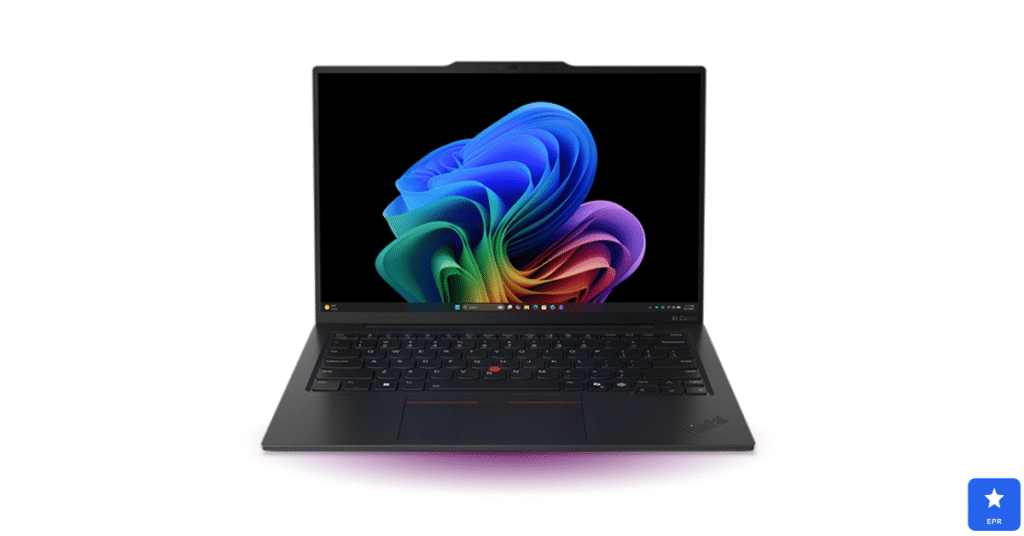
Developers searching for the best laptop for programming should stop at the ThinkPad X1 Carbon Gen 13. Its negative-tilt keyboard reduces wrist strain during marathon coding sessions in a way most flat keyboards simply can’t match.
We ran multiple VS Code windows, Docker containers, and a dozen Chrome tabs without any slowdown. The 2.8K OLED display at 120Hz made scrolling through long files noticeably smoother than on a standard 60Hz panel.
| Lenovo ThinkPad X1 Carbon Gen 13 — Design & Features | |
| DESIGN | |
| Build | Carbon-fiber chassis, MIL-SPEC durability |
| Weight | Under 2.5 lbs, easy for daily travel |
| Keyboard | Negative-tilt keys, widely rated the best laptop keyboard |
| Display | 14-inch 2.8K OLED, 120Hz, matte anti-glare finish |
| FEATURES | |
| Processor | Intel Core Ultra 7, up to 32GB RAM |
| Battery Life | 10 to 12 hours of mixed coding workloads |
| Best For | Long coding sessions and enterprise development |
| Price | Starts around $1,449 |
Pros
- Best-in-class keyboard reduces fatigue during long coding sessions
- Strong Linux compatibility for open-source developers
- Durable carbon-fiber build survives daily bag-and-desk life
Cons
- Battery life trails behind Apple Silicon competitors
- Higher-RAM configurations push the price up quickly
- Trackpad feels less refined than premium Mac alternatives
3. Apple MacBook Pro 14 (M4 Pro) — Best Producer Laptop for Music Production
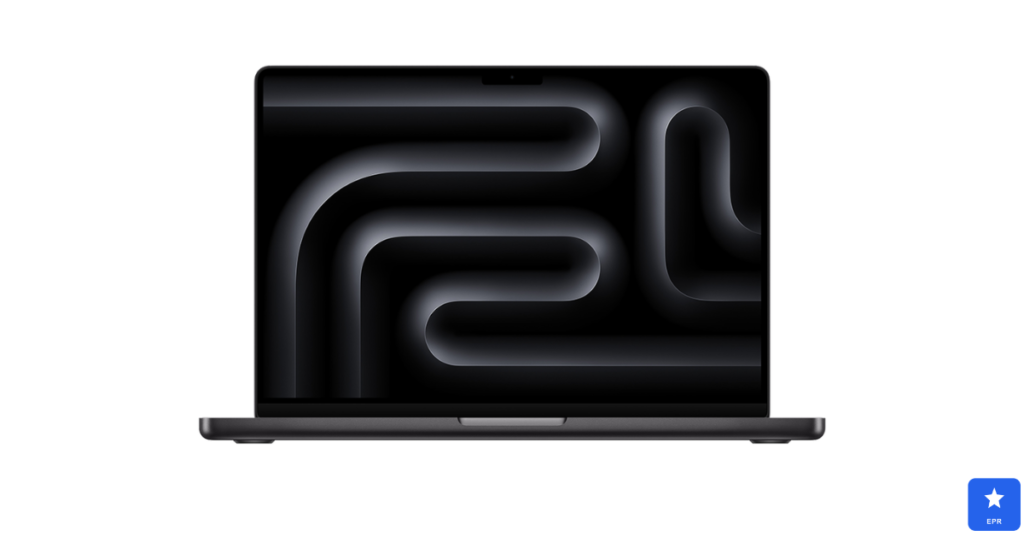
Musicians researching the best laptop for music production kept pointing us toward the MacBook Pro 14. Its Core Audio drivers delivered ultra-low latency the moment we plugged in an external audio interface, with zero manual driver installs.
We loaded over fifty tracks in a DAW alongside several instances of a demanding software instrument. The machine never showed signs of thermal throttling during back-to-back recording and mixing sessions.
| Apple MacBook Pro 14 M4 Pro — Design & Features | |
| DESIGN | |
| Build | Aluminum chassis with active cooling for sustained loads |
| Weight | 3.4 lbs, still travel-friendly for studio work |
| Keyboard | Backlit Magic Keyboard with full-size function row |
| Display | 14-inch mini-LED, wide color accuracy |
| FEATURES | |
| Chip | Apple M4 Pro, 16GB+ unified memory |
| Audio | Low-latency Core Audio drivers for interfaces |
| Best For | DAWs, large sample libraries, mixing sessions |
| Price | Starts around $1,999 |
Pros
- Near-zero latency audio performance right out of the box
- Handles large sample libraries and dozens of tracks smoothly
- Mini-LED display looks sharp for video work alongside audio
Cons
- Starting price sits well above budget producer laptops
- Storage upgrades from Apple carry a steep markup
- Overkill for beginners just starting with simple beats
4. ASUS ProArt P16 — Best Laptop for Photo Editing
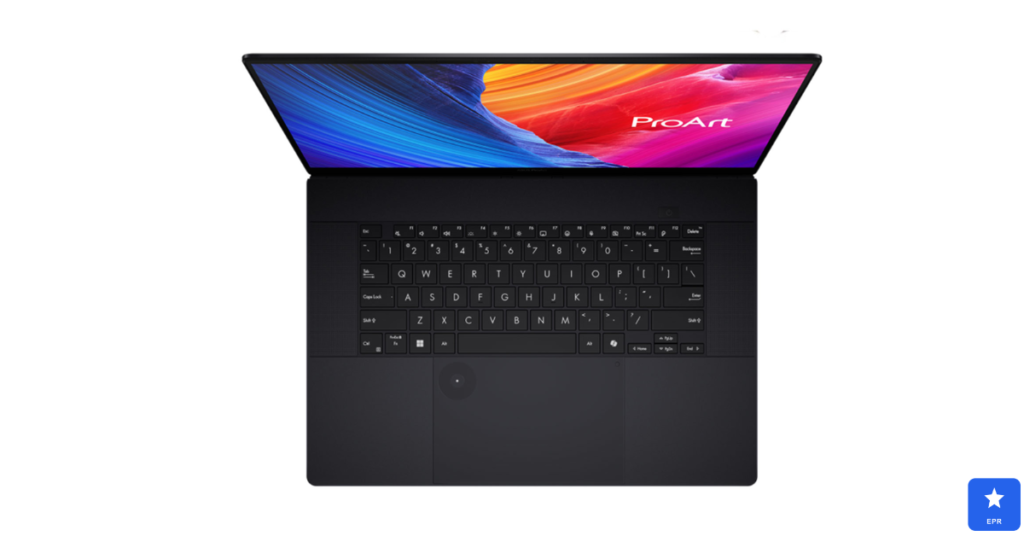
Photographers hunting for the best laptops for photo editing should take a close look at the ProArt P16. Its factory-calibrated OLED display covers 100% DCI-P3, so colors on screen matched our exported files almost exactly.
RAW files from a 45-megapixel camera open without noticeable lag in Lightroom, according to reviewers. The dedicated dial control speeds up common edits like brush size and exposure without touching the keyboard.
| ASUS ProArt P16 — Design & Features | |
| DESIGN | |
| Build | Aluminum chassis with reinforced hinge for a large display |
| Weight | Around 4.6 lbs, heavier due to full-power hardware |
| Keyboard | Comfortable island keys with a dedicated dial control |
| Display | 16-inch OLED, 100% DCI-P3 color coverage |
| FEATURES | |
| Processor | Intel Core Ultra with RTX-class graphics |
| Color Accuracy | Factory-calibrated for Lightroom and Photoshop |
| Best For | RAW photo editing and color-critical retouching |
| Price | Premium tier check site for current pricing |
Pros
- Exceptional color accuracy straight out of the box
- Handles large RAW files without lag or stutter
- Doubles well as a capable video editing machine
Cons
- Heavier than most laptops built for writers on the move
- Battery life drops fast under heavy GPU-accelerated edits
- Premium pricing puts it out of reach for casual editors
5. Lenovo IdeaPad Pro 5 — Best Budget Laptop for Writers
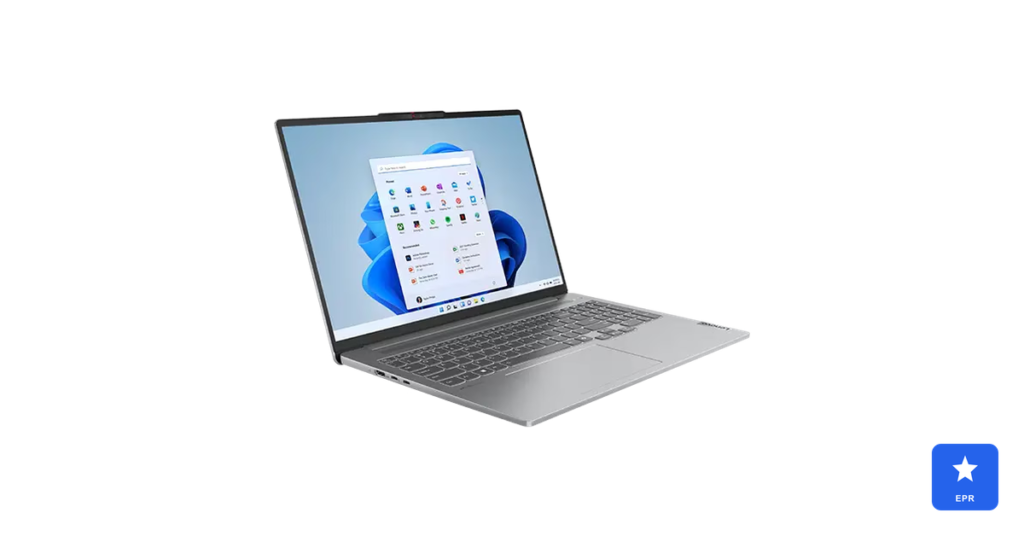
Not every writer wants to spend over a thousand dollars on a laptop. The IdeaPad Pro 5 proves that a tight budget doesn’t mean a cramped screen or a sluggish typing experience.
Its 2.8K display displayed crisp text during long editing sessions, rare at this price point. The Ryzen 7 chip handled dozens of browser tabs without slowing down, which matters most for research-heavy writing work.
| Lenovo IdeaPad Pro 5 — Design & Features | |
| DESIGN | |
| Build | Lightweight plastic-aluminum hybrid chassis |
| Weight | Around 3.5 lbs, still easy to carry daily |
| Keyboard | Comfortable full-size keys with decent travel |
| Display | 2.8K resolution panel, sharp for the price |
| FEATURES | |
| Processor | AMD Ryzen 7, 16GB RAM |
| Battery Life | Solid all-day battery for writing and browsing |
| Best For | Budget-conscious writers who still want a sharp screen |
| Price | Around $749 |
Pros
- Sharp 2.8K display is rare to find at this price
- 16GB of RAM handles heavy multitasking comfortably
- Strong value compared to premium writer-focused laptops
Cons
- Build quality feels less premium than metal-body competitors
- Speakers sound thin compared to pricier alternatives
- Battery life is solid but falls short of all-day claims
MacBook Air M4 vs. ThinkPad X1 Carbon: Closest Competitor Comparison
- Choose the MacBook Air M4 if silent, fanless operation and long battery life matter more than raw multitasking power.
- Choose the ThinkPad X1 Carbon if you need Windows-specific software or prefer the best keyboard feel available on any laptop.
How to Choose the Best Laptop for Your Writing Work
Not every writer needs the same machine. Here is what actually matters when shopping for the best laptop for writers and related creative work.
- Keyboard feel first: a comfortable keyboard matters more than raw speed for pure writing work.
- Battery life: look for at least 10 hours of real-world use if you write away from outlets often.
- RAM headroom: 16GB handles most writing workflows, but coders and producers should aim higher.
- Display comfort: a matte, glare-free screen reduces eye strain during long sessions.
- Side projects: match extra specs like GPU power or color accuracy to any creative side work.
Frequently Asked Questions
Q1: What is the best laptop for writers on a tight budget?
The Lenovo IdeaPad Pro 5 delivers a sharp display and solid battery life for around $749.
Q2: Do writers really need a powerful processor?
No, most writing software runs fine on modest specs; battery life and keyboard comfort matter more.
Q3: Is a MacBook or a Windows laptop better for writers?
Both work well; MacBooks offer longer battery life, while Windows laptops offer more software flexibility.
Q4: What laptop specs matter most for programming?
Look for at least 16GB of RAM, a comfortable keyboard, and strong Linux or WSL2 support.
Q5: Can one laptop handle both writing and music production?
Yes, the MacBook Pro 14 handles writing easily while also running demanding DAW software smoothly.
Q6: How much RAM do I need for photo editing?
Aim for at least 16GB, though 24GB or more gives smoother results with large RAW files.
Final Verdict
After researching keyboards, batteries, and displays across five machines, the MacBook Air M4 earned our top spot among the best laptops for writers this year. It balanced silent operation, all-day battery life, and a genuinely comfortable typing feel.
Coders should look closely at the ThinkPad X1 Carbon for its class-leading keyboard, while producers and photo editors have strong dedicated picks above. Budget-focused writers can still get a great experience with the Lenovo IdeaPad Pro 5.
Whichever laptop you choose, all five picks on this list beat an aging, sluggish machine by a wide margin. Match your pick to your daily workflow, and your writing sessions will feel effortless.
Prices and availability are current at the time of writing and may change. Always check the retailer’s site for the latest pricing.